Why can your TV be hard to find when casting with a VPN?
If you use a VPN on your phone and also cast video or music to a TV or speaker at home, you may sometimes find that the two do not work together as expected. This article uses Google Cast as an example to explain what casting relies on, where VPN routing fits in, and what to write down when something goes wrong.
Google Cast: local discovery and internet content
Google’s help for Google Cast says the phone or tablet you cast from must be on the same home Wi-Fi network as the Cast-enabled device, and that you cannot cast from a phone connected only to mobile data. On iPhone and iPad with iOS 14 or later, the Cast-enabled app also needs Local Network access to find Cast devices.
So finding and controlling the device depends on communication within your local network. Local discovery is not the same as the whole media connection, and other casting technologies may work differently.
Where a VPN fits in
A VPN sends traffic through a tunnel to a remote server. In a full-tunnel setup, the aim is to send traffic through that tunnel. Depending on the app and the system, this can also affect traffic meant for devices on your local network. That does not mean a VPN always causes casting problems.
Separating local traffic
One approach is to handle local network traffic separately from other traffic. Routing rules are a way to do this: they let you decide how certain traffic is handled.
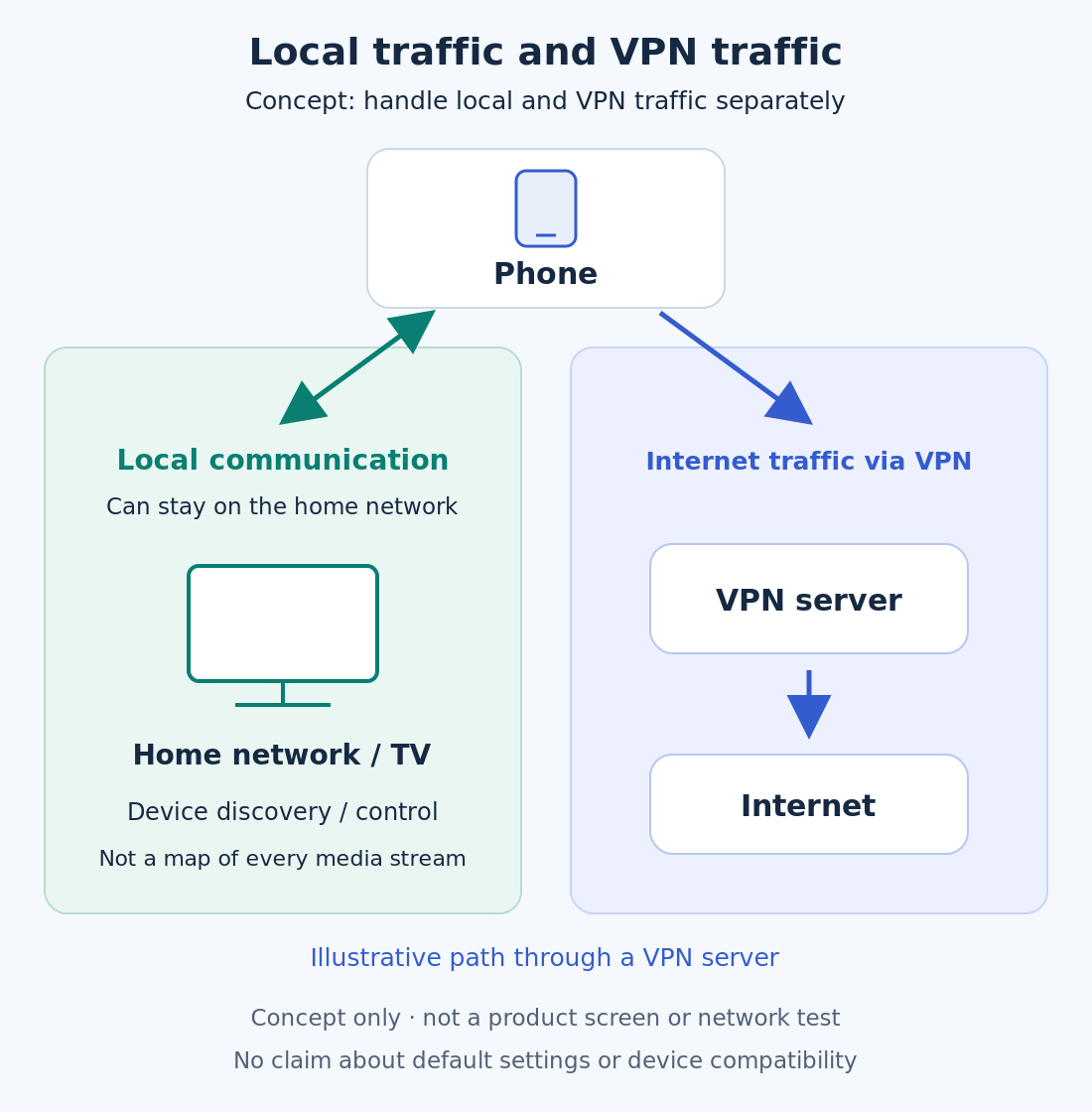
VinePass supports VPN and smart routing on iOS. It supports routing rules, and local network traffic can bypass the VPN for casting. The VinePass website also describes routing scenes, including Global Tunnel and custom scenes based on your own rules.
For VineVPN, routing is a direction we are exploring. VineVPN is technically able to add routing features, and we are looking for a simpler, more convenient way to make them easy for everyone to use. Before deciding how that should work, we would like to talk it through with readers.
Results still depend on your network, devices and apps; routing rules are not a fix for every casting issue.
What to note when Google Cast does not work
If the device does not appear:
- Check that your phone is on Wi-Fi, not mobile data, and on the same home Wi-Fi network as the Cast device.
- On iPhone or iPad, check that the casting app has Local Network access in your device settings.
- Note whether the VPN was on and which routing option, if any, was active.
If the device appears but casting stops:
- Note when it stops: right at the start or after some time.
- Note the app, the devices involved, whether the VPN was on and which routing option, if any, was active.
These notes are useful if you later contact support for your casting device, app or VPN.
Tell us what matters in your home
We would like to hear how you use a VPN at home. Which matters most to you: casting to a TV or speaker, printing, or reaching other devices on your home network? And would you prefer this to be handled automatically, or to have a simple choice that you make yourself? Share your scenario with us. It helps us understand what VineVPN and VinePass users actually need.